 iziCast
Guide · iziCast + Zeno
Broadcast to the world with Zeno and iziCast.
Whether you're a DJ, podcaster, church group or talk show host, getting your audio out into the world should be simple. Here is how to go live on your own Zeno station in a few minutes.
Zeno is a cloud-based radio hosting service that streams your live audio to a global audience, 24/7. You can reach a large audience and even earn revenue with your station. Learn more about Zeno's features and pricing.
With iziCast your iPhone becomes a portable broadcast studio. Zeno uses Icecast under the hood, and iziCast is fully compatible with Icecast, so they work together seamlessly. In this guide you'll learn how to:
- find the live streaming login of your Zeno station
- add your Zeno station to iziCast
- go live and share your station with listeners
Find your login for live streaming
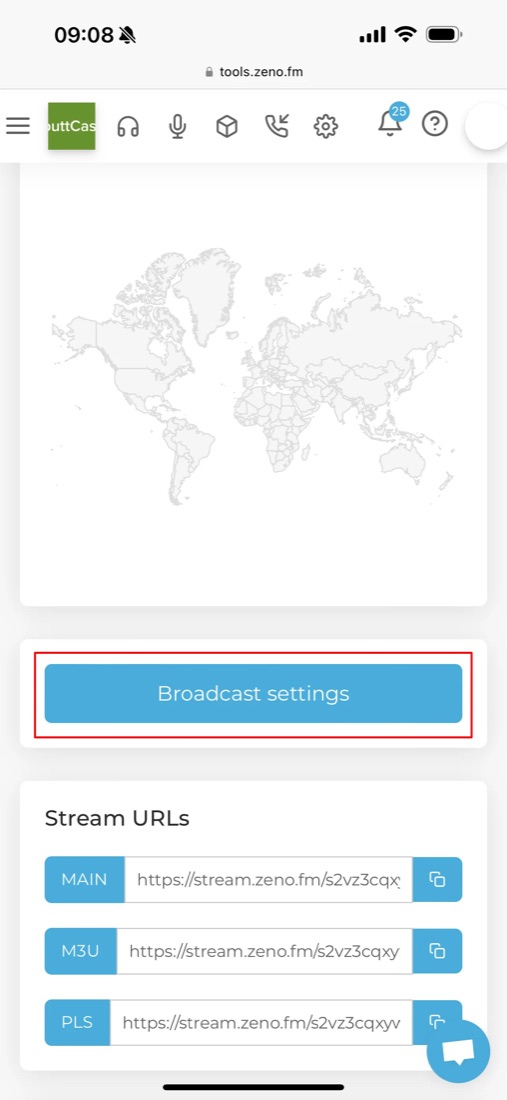
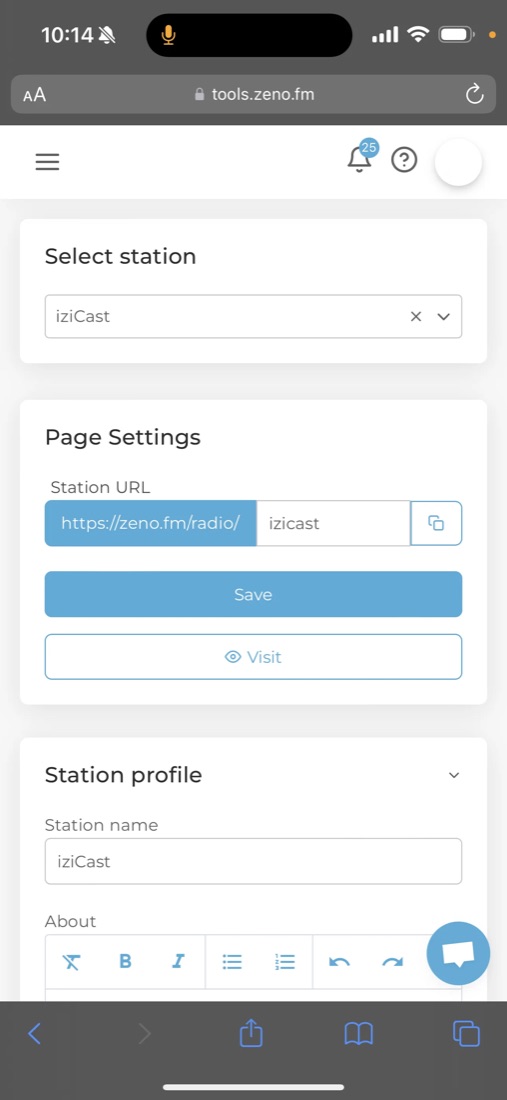
After registering, log in to tools.zeno.fm. Tap the menu in the upper left corner (three horizontal lines) and select your station.
Scroll down and tap Broadcast settings.
Add your Zeno station to iziCast
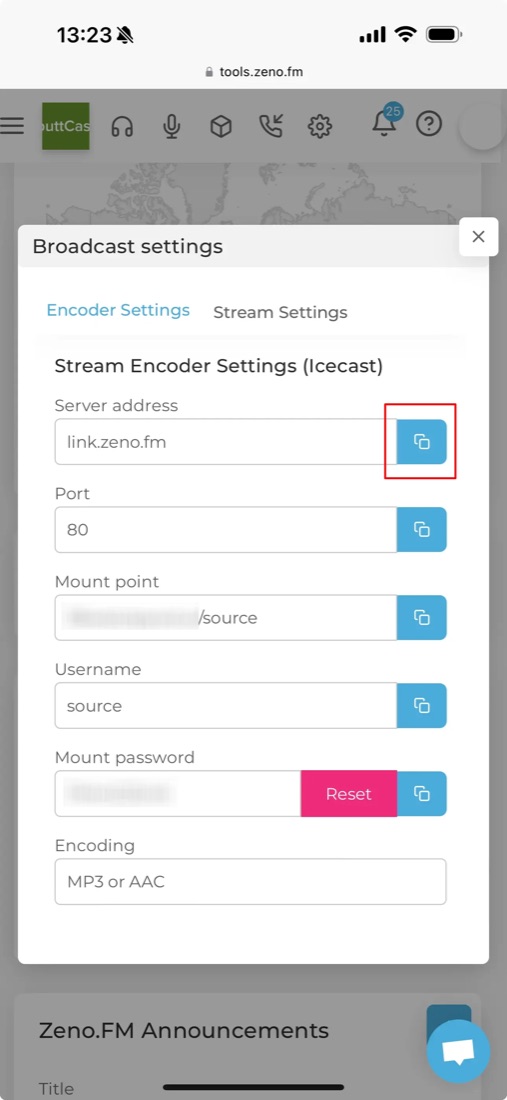
A window with your server details appears. Open iziCast and tap Add on the main screen.
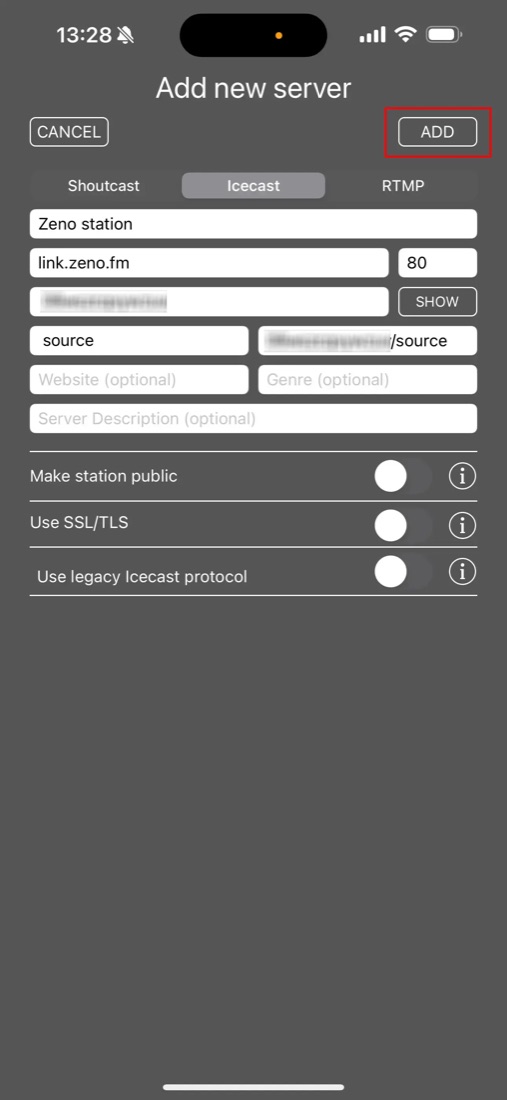
Select Icecast in the "Add new server" window and copy your login details from the Zeno website into iziCast. Then tap ADD in the upper right corner.
Go live
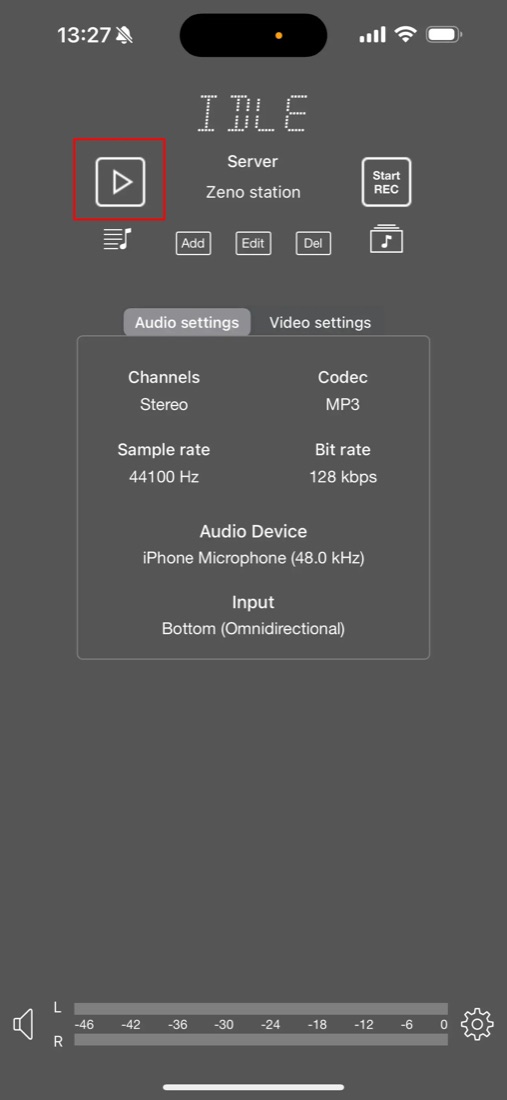
Select MP3 or AAC as the audio codec. Make sure the bit rate isn't higher than your Zeno plan allows.
Bit rate limits: the STARTER plan allows up to 192 kbps, the PRIME plan up to 320 kbps.
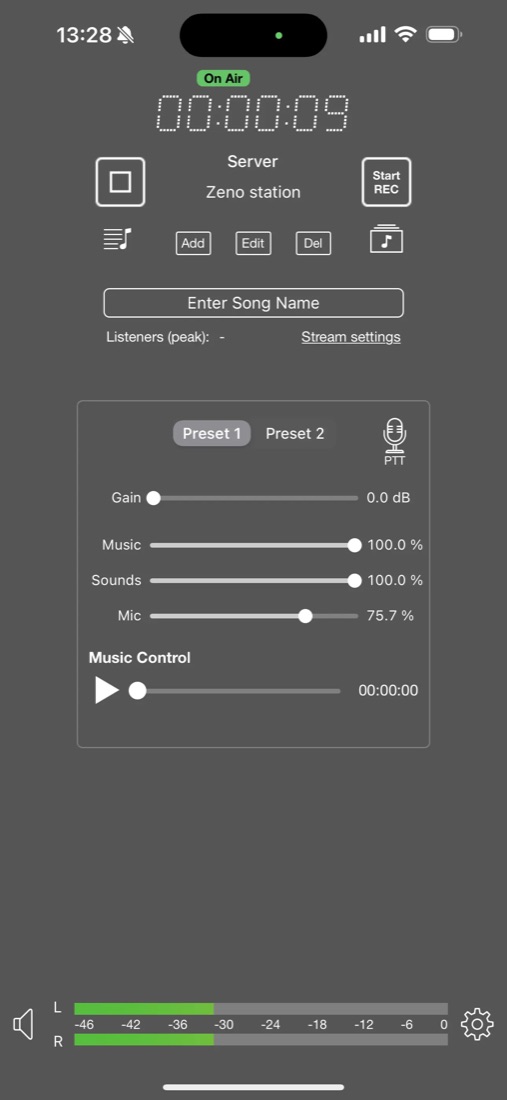
Tap the play button in the upper left corner and you're on air.
Check your broadcast status
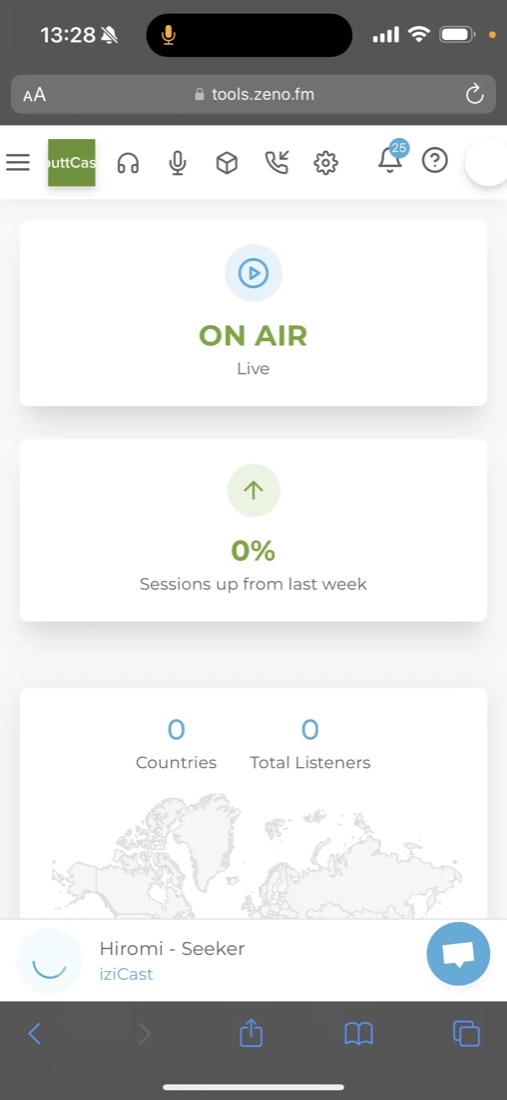
iziCast and Zeno both show your current status. Once iziCast is connected, your Zeno station page shows that you are live.
It can take up to 10 seconds until the status changes to Live. If it doesn't update, reload the page.
Share your station
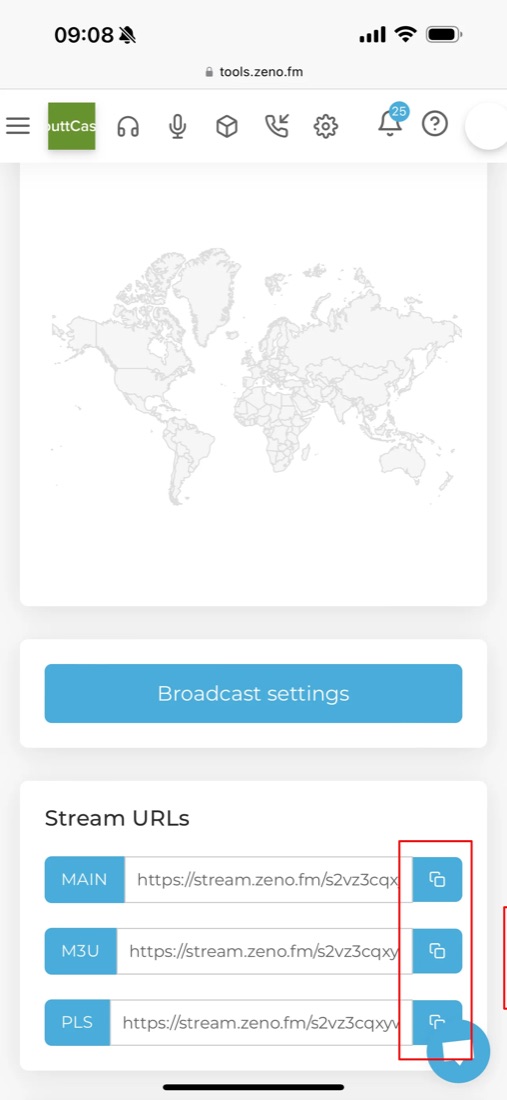
Your station page lists the direct stream URLs. With one of them, listeners can tune in with their favorite audio player.
To let listeners play your station in their web browser, open the Zeno menu (three lines in the upper left corner), tap Zeno.FM and share the station URL.
Learn more
Zeno's introduction video covers all their tools for broadcasters. For iziCast, see the tutorials and the FAQ. Happy broadcasting!